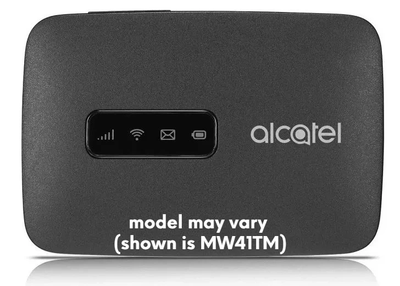
Watchman 4G-LTE-MODEM
Watchman requires connection to internet to send logs and enable alerts. Watchman is designed to connect with your existing WiFi and go online. This works for most deployments.
However, there are cases where there is no WiFi at the location for Watchman to connect with. Or, for some reason, the available WiFi can’t be used for Watchman. The 4G-LTE-MODEM can be used for such use cases.
- The modem comes with T-Mobile SIM. Please ensure that you have T-Mobile coverage for the location where it will be used at.
- The modem connects with T-Mobile 4G/LTE service for data connections. It also broadcasts a WiFi (SSID name: ppC-LTE-GW) that Watchman(s) are programmed to auto-connect with.
- You may connect multiple Watchman units to a single modem. Most modems allow 10 clients, though recommend maximum 5.
- You will need to purchase a monthly data plan after you activate the modem on our portal. Here are options for the monthly data plan: $6 (40MB), $10 (120MB), $15 (500MB) and $25 (1GB).
- You will select the data plan based on number of Watchman(s) that will use the modem. Watchman at basic features consume 0.4MB per day (~12MB per month) whereas the one at full features (such as 15-min log update, health-check etc) consumes 1.2MB per day (~36MB per month).
- Data plan usage is tracked on monthly basis starting from the day of SIM activation. To help you monitor (and adjust), the portal shows the data usage of the current monthly cycle.
- You will be able to change the data plan tiers per the usage. Please note that SIM will stop as data usage reaches the plan’s limit. It will automatically resume as next monthly cycle kicks in.
- You can stop (also referred as “suspend”) data plan and resume later. The change takes effect on next (monthly) cycle. There is $1 per month charge while SIM is in suspend mode (to keep it alive).
- If you plan to connect your other devices to the modem, send us an email asking for modem’s WiFi password.
Buy 4G-LTE-MODEM